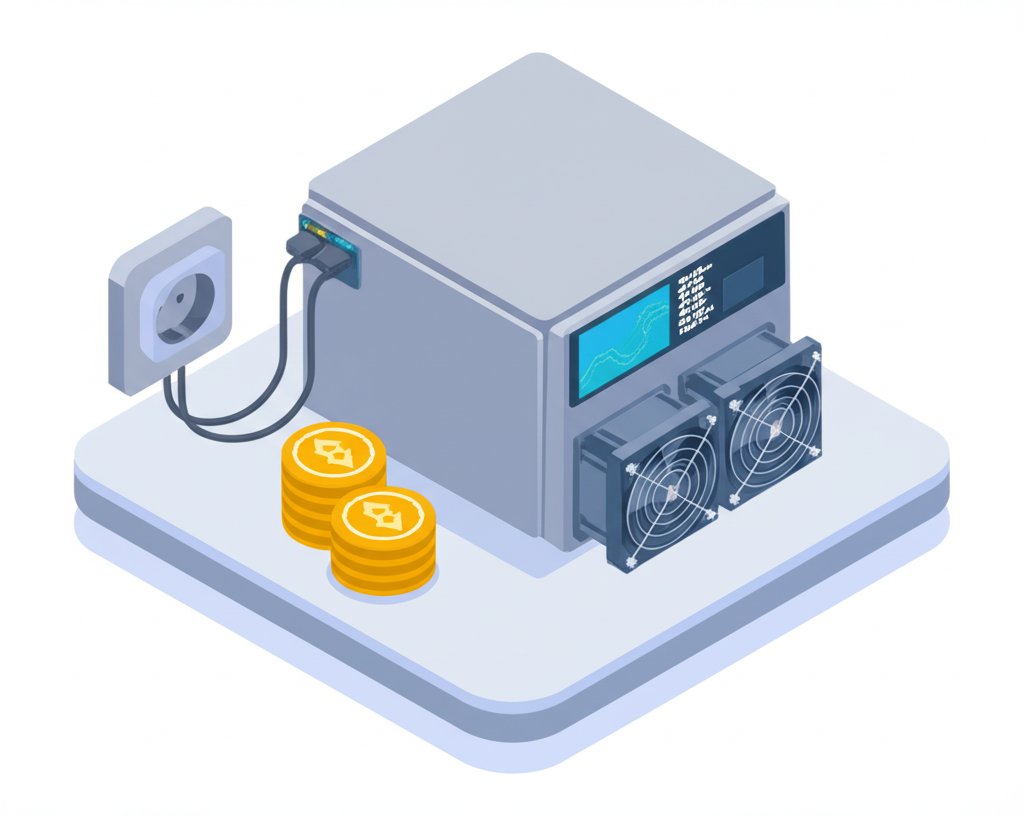
The idea of earning cryptocurrency from your couch sounds like a futuristic dream, but with cheap crypto mining devices, it's a surprisingly accessible reality for many beginners looking to dip their toes into the blockchain world. Forget visions of warehouses full of blinking, noisy machines; home-based mining today is less about striking it rich and more about learning, experimenting, and contributing to decentralized networks on a budget. If you've ever wondered how to start mining without breaking the bank, this guide is for you.
At a Glance
- Realistic Expectations: Home mining with cheap devices is primarily a hobby and educational pursuit, not a get-rich-quick scheme.
- Device Variety: Explore options from simple USB miners to quiet mini-ASICs, designed for different goals and budgets.
- Algorithm Focus: Understand the difference between SHA-256 (Bitcoin, DigiByte) and Scrypt (Litecoin, Dogecoin) for miner selection.
- Setup Simplicity: Learn the straightforward steps to connect your device, configure to a mining pool, and start hashing.
- Key Considerations: Factor in electricity costs, noise, and heat, even with smaller, cheaper devices.
- Pool Mining Advantage: Beginners often benefit more from joining a mining pool for more consistent, albeit smaller, payouts.
Why "Cheap Crypto Mining" Isn't About Big Profits (Mostly)
Let's be upfront: if your primary goal is to rake in significant daily profits from Bitcoin mining, the landscape demands substantial investment in top-tier Application-Specific Integrated Circuit (ASIC) miners like the Antminer S19 Pro or WhatsMiner M30S++. These machines are engineered for maximum hash rate and efficiency, operating at scales where every joule per terahash (J/TH) can mean thousands of dollars annually. For a deep dive into comparing the heavy hitters, you might want to check out how to Rank Bitcoin miners for profit.
However, the world of cheap crypto mining for beginners at home operates on a different philosophy. Here, the objective shifts from maximizing profit to understanding the mechanics of blockchain, contributing to network security, and perhaps earning a small trickle of cryptocurrency along the way. Think of it less as an investment strategy and more as a hands-on learning experience. You won't be generating $12 a day like an Antminer S19 Pro owner, but you also won't be spending thousands of dollars upfront or dealing with industrial-scale power and cooling demands.
Understanding Your Tools: Beginner-Friendly Mining Devices
The term "cheap crypto mining devices" covers a spectrum of hardware, from repurposed general-purpose computing to specialized, lower-power ASICs. For beginners, the focus isn't on the behemoths but on accessibility, ease of use, and a manageable footprint.
Beyond CPUs and GPUs: The Rise of Mini-ASICs
While you can technically mine some cryptocurrencies (like Monero or Dogecoin) using an old laptop or PC, the hash rate will be minimal, and the power consumption often outweighs any potential earnings. The sweet spot for home beginners often lies with smaller, purpose-built ASICs or specialized USB miners.
ASICs, or Application-Specific Integrated Circuits, are microprocessors designed exclusively for one task: mining a specific cryptocurrency algorithm. An ASIC built for Bitcoin's SHA-256 algorithm can mine any coin using that same algorithm. This specialized design makes them far more efficient than general-purpose CPUs or GPUs for their intended task, even at a smaller scale.
The Two Paths for Home Miners: Solo vs. Pool Mining
Once you have a mining device, you'll face a fundamental decision: solo mining or joining a mining pool.
- Solo Mining: This means your device works alone to solve block hashes. If your device finds the solution, you claim the entire block reward. The allure is high, but for a cheap home setup, the probability of successfully mining a block is infinitesimally small. It's essentially a "lottery mining" scenario—you might win big, but it's incredibly unlikely.
- Pool Mining: This is the recommended path for beginners and almost all home miners. You combine your device's computational power (hash rate) with thousands of other miners in a "pool." When the pool collectively solves a block, the reward is split proportionally among all participants based on their contributed hash rate. This offers much smaller, but significantly more frequent and predictable, payouts. It's about consistent trickles rather than a rare flood.
Algorithms for the Home Miner: SHA-256 vs. Scrypt
The choice of mining device often dictates which algorithm you'll be targeting, and thus, which cryptocurrencies you can mine.
- SHA-256: This is the algorithm used by Bitcoin, as well as many other coins like DigiByte. Most dedicated Bitcoin ASICs (even smaller ones) target SHA-256. Devices like the Bitaxe series or Nerdminer V2 are primarily SHA-256 miners.
- Scrypt: This algorithm is famously used by Litecoin and Dogecoin. Scrypt is generally considered more power-efficient and accessible for smaller devices. The FutureBit MoonLander 2, for example, is a Scrypt miner.
Understanding these distinctions helps you align your device choice with the crypto you're interested in accumulating.
Plug-and-Play Solutions: USB Miners & Mini-ASICs for Beginners
Here's where cheap crypto mining gets interesting for the home user. Several types of devices cater specifically to this niche, offering ease of use, lower power consumption, and a smaller footprint than their industrial counterparts.
1. The Open-Source & DIY Enthusiasts: Bitaxe Series
The Bitaxe series (Bitaxe Touch, Gamma 601, Ultra 204, Supra 401) stands out for its open-source nature. These small Bitcoin (SHA-256) miners are customizable, making them popular with hobbyists who enjoy tinkering. They're often designed to run cool and quiet, perfect for a desktop.
- Example: A Bitaxe Gamma 601, while not designed for profit, offers a hands-on way to understand Bitcoin mining and contribute to the network from your home office. You can experiment with different firmware and settings.
2. Compact Lottery Miners: CYD & T-Dongle USB Miners
Devices like the NM Miner CYD and Nerdminer V2 are incredibly compact, often resembling USB sticks. They are truly "plug-and-play" and typically aimed at "lottery mining" (solo mining with very low probability) due to their minimal hash rate. Their power consumption is negligible, often just a few watts.
- Example: The Nerdminer V2 is popular for its simplicity. Plug it into a USB port (even a phone charger), connect to WiFi, enter your wallet address, and it starts hashing for Bitcoin. It’s more of a novelty or educational tool than a serious income generator.
3. Affordable SHA256 Options: Lucky Miner Series
The Lucky Miner (LV03, LV06, LV07) offers another line of cost-effective SHA256 miners. These devices aim to provide a bit more hashing power than the basic USB stick miners while still remaining budget-friendly.
- Example: An LV03 might provide a few hundred Gigahashes per second (GH/s), offering a slightly better chance in a mining pool than a basic USB dongle, but still far from serious profitability.
4. Scalable Small-Scale Mining: Bot Chain Miners
For those who want to gradually increase their home mining setup, Bot Chain Miners (NM BotChain, NM USB Chain) allow multiple units to be linked together. This offers a path to scalability without the massive investment of a single large ASIC.
- Example: Starting with one NM BotChain and later adding more units could incrementally boost your collective hash rate for pool mining, sharing power and network infrastructure.
5. Combining Mining with Node Operations: FutureBit Apollo
FutureBit devices, such as the Apollo BTC and Apollo II, offer a more sophisticated approach. They combine Bitcoin mining functionality with the ability to run a full Bitcoin node. Running a full node is vital for supporting the decentralization and security of the Bitcoin network.
- Example: An Apollo BTC allows you to mine Bitcoin while also contributing to the network's integrity by validating transactions and blocks. This appeals to users who prioritize supporting the blockchain over pure profit.
6. Reputable Brands in the Mini-ASIC Space: Avalon
Even established ASIC manufacturers like Canaan (makers of AVALONminer) offer smaller, more home-friendly devices. The Avalon Nano 3S, Q Series, and Mini 3 are examples of their entry-level offerings.
- Example: An Avalon Nano 3S provides a taste of mining from a trusted brand, often with better efficiency than generic USB miners, but still within a compact form factor suitable for a desk.
7. All-in-One Solutions: Mars Lander V2
The Mars Lander V2 is a good example of an all-in-one compact mining solution, sometimes including extra features like a BTC price ticker. These devices often focus on ease of setup and use.
8. Quieter, Purpose-Built Mini-ASICs: Goldshell "Box" Series
For those prioritizing low noise and a relatively straightforward setup, the Goldshell "Box" series offers a compelling option. These are often quieter than other mini-ASICs and are designed to be run in a home environment.
- Example: A Goldshell Box miner might mine Kadena or Handshake (depending on the model) with modest hash rates but significantly lower noise levels than a full-sized ASIC, making it suitable for a spare room.
Setting Up Your Cheap Crypto Miner: A Beginner's Playbook
Getting started with cheap crypto mining is surprisingly simple. Here's a general step-by-step guide:
- Choose Your Miner: Based on your budget, desired cryptocurrency (SHA-256 for Bitcoin/DigiByte, Scrypt for Litecoin/Dogecoin), and tolerance for noise/heat, pick a device like a Bitaxe, Nerdminer, or a small Avalon unit.
- Power It Up: Most small miners use a standard USB power source or a simple DC power adapter. Ensure you have a stable power supply.
- Connect to the Internet (and Computer, if needed):
- WiFi Miners: Many beginner-friendly devices (like the Nerdminer V2) connect directly to your home WiFi. You'll typically access a simple web interface on your computer or phone to configure the WiFi settings.
- USB Miners: Some USB miners require connection to a host computer (like a Raspberry Pi or an old laptop) which then manages the internet connection and mining software.
- LAN Miners: Some mini-ASICs connect via an Ethernet cable to your router.
- Find Your Miner's IP Address: If your miner connects to your network, you'll need its IP address to access its configuration page. Tools like IP scanners or checking your router's connected devices list can help.
- Configure to a Mining Pool: This is the most crucial step for beginners.
- Join a Pool: Sign up for a reputable mining pool that supports your chosen algorithm (e.g., SlushPool, F2Pool, NiceHash, ViaBTC).
- Create a Worker: Within the pool's dashboard, create a "worker" for your device.
- Enter Pool Details: In your miner's web interface, enter the pool's URL, your worker name, and the password (often just
x).
- Set Up Your Crypto Wallet: You'll need a wallet address for the cryptocurrency you're mining. This is where your earnings from the pool will be sent.
- Monitor Performance: Most mining pools and miner interfaces provide real-time statistics on your hash rate, temperature, and earnings. Keep an eye on these to ensure everything is running smoothly.
Hidden Costs and Considerations for Home Mining
Even with cheap crypto mining devices, it's vital to consider the broader context.
- Electricity Costs: While USB miners consume very little power (a few watts), even a slightly more powerful mini-ASIC like an Avalon 1166 Pro (which consumes a few hundred watts) can add up on your electricity bill. The Avalon 1166 Pro, for example, generates about $2.77/day profit with $0.1/kWh electricity. Always calculate your power usage (watts) multiplied by hours per day and your electricity rate per kWh to get a realistic operational cost.
- Noise and Heat: Some compact ASICs, even smaller ones, can generate surprising amounts of noise (from fans) and heat. Devices like the ASICminer 8 Nano are lauded for their low noise, making them suitable for residential areas, but others, like the Ebang EBIT E11++ or Bitmain Antminer S17, are very loud and hot, making them unsuitable for home environments. Always check the dBA rating before purchasing.
- Internet Stability: A stable internet connection is crucial for consistent pool mining. Frequent disconnections mean lost hashing time.
- Maintenance: While minimal for smaller devices, occasional cleaning of dust from fans can prolong the life of your miner.
- Hardware Lifespan: While some devices boast long lifespans (e.g., ASICminer 8 Nano up to 50,000 hours), remember that technology evolves rapidly. A miner might still be operational, but its profitability could diminish as newer, more efficient models emerge and network difficulty increases.
Case Snippet: The Beginner's First Week
Maria, a beginner, bought a Nerdminer V2 for $50. She plugged it into a USB charger, connected it to her WiFi, and configured it to SlushPool, entering her Bitcoin wallet address. Over the first week, her miner consistently hashed at around 10 KH/s. Her electricity cost was negligible ($0.05 per week). She earned about $0.02 in Bitcoin, which was far from profitable. However, Maria gained invaluable experience seeing real transactions, understanding hash rate, and confirming pool payouts directly to her wallet. Her goal wasn't profit, but learning, and in that, she succeeded.
Quick Answers for Aspiring Home Miners
Q: Can I really make money with cheap crypto mining?
A: For most beginners with cheap devices, the direct financial profit will be negligible, often less than your electricity cost. The primary value is in learning, contributing to the network, and accumulating small amounts of crypto as a hobby.
Q: What's the best cheap crypto miner for a beginner?
A: It depends on your goal. For pure learning and lowest cost, a USB miner like the Nerdminer V2 or a Bitaxe Gamma is excellent. For slightly more hashing power and perhaps slightly better efficiency in a home setting, a Goldshell "Box" series (if you can find one affordably) or a small Avalon miner might be a good fit, keeping noise levels in mind.
Q: How much electricity do these cheap miners use?
A: Very little for USB miners (e.g., 2-5 watts, like a phone charger). Mini-ASICs might range from 50 watts to a few hundred watts. Always check the specifications of the specific model.
Q: Do I need a powerful computer to mine crypto at home?
A: Not necessarily. Dedicated ASICs (even mini ones) do their own computing. You only need a computer (or phone) for the initial setup and monitoring. Some USB miners do require a host computer (like a Raspberry Pi) to operate.
Q: Is it safe to mine at home? Will it damage my electrical system?
A: Yes, it's generally safe as long as you use appropriate power adapters and don't overload circuits. Cheap miners draw very little power. Always use quality power supplies.
Q: What cryptocurrencies can I mine with cheap devices?
A: You're typically limited to coins that use SHA-256 (Bitcoin, DigiByte) or Scrypt (Litecoin, Dogecoin), depending on your device's algorithm. For extremely low-power devices, "lottery mining" Bitcoin or joining a very large SHA-256 pool is common.
Your First Steps into Cheap Crypto Mining
Embarking on cheap crypto mining is an exciting journey into the heart of blockchain technology. To get started, consider this decision path:
- Define Your Goal: Are you primarily interested in education and hobby, or do you have a slight hope for small, consistent earnings?
- Budget: How much are you willing to spend on the device itself (from $50 for a USB miner to a few hundred for a mini-ASIC)?
- Noise Tolerance: Will the device be in your living space? If so, prioritize low-noise options.
- Electricity Cost: Know your local electricity rate ($/kWh). This will heavily influence even minimal "profitability."
- Choose an Algorithm/Coin: Decide if you want to target Bitcoin (SHA-256) or another coin like Dogecoin/Litecoin (Scrypt).
Once you've made these decisions, select a device like a Nerdminer V2 (for pure learning, minimal cost), a Bitaxe (for open-source tinkering), or perhaps a Goldshell Box miner (for a slightly more substantial but still home-friendly setup). Dive in, learn the ropes, and enjoy your hands-on experience with the decentralized future.